Company Revit Asset Hub/
2025
About/
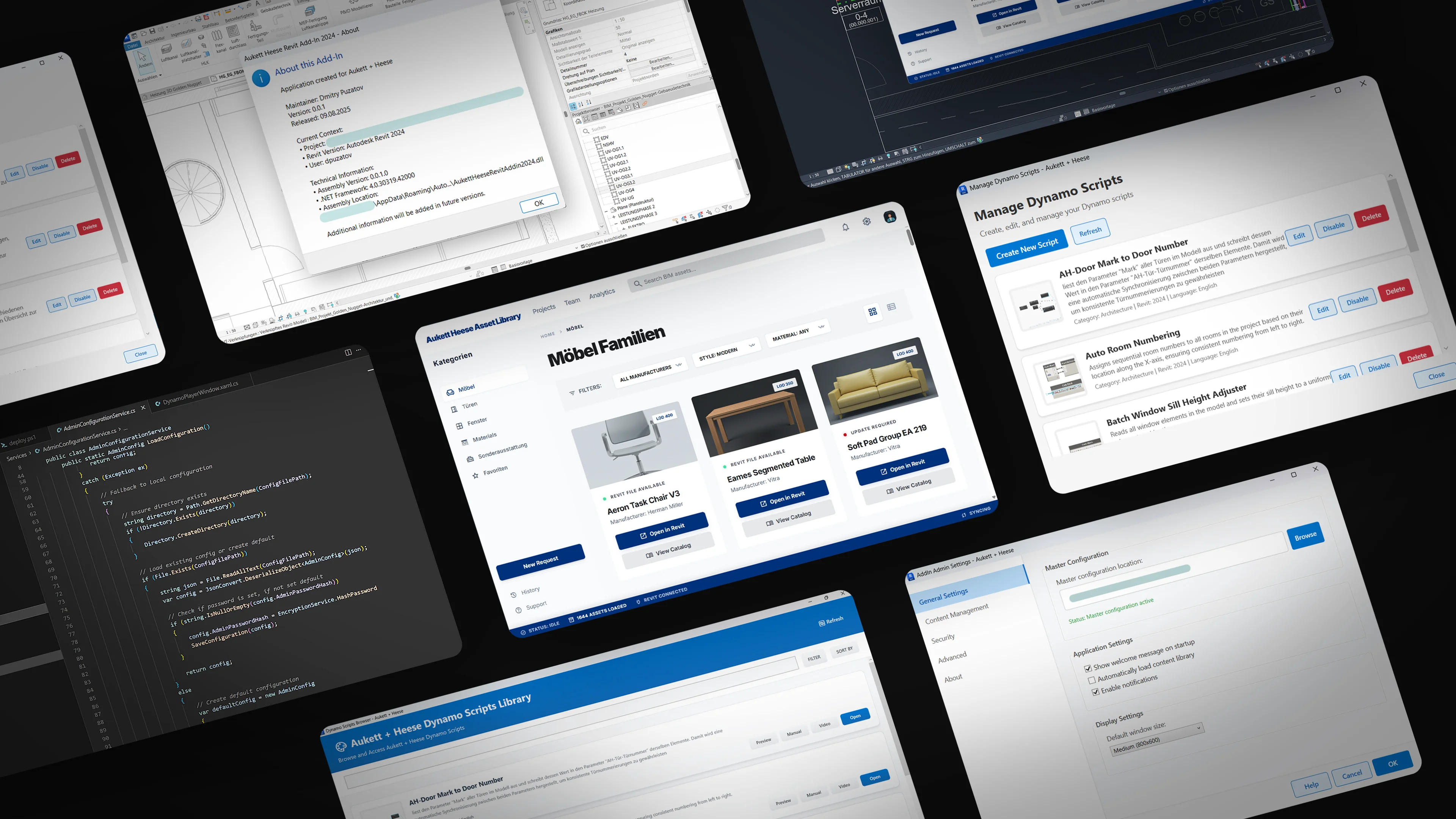
A Revit plugin for an architecture office where content management got out of hand — families on shared drives with no clear structure, Dynamo scripts floating around on desktops, new hires spending days just figuring out where things live.
The plugin consolidates all of that into a single ribbon tab inside Revit. Browse families, run automation scripts, manage configs — without leaving the project.
What It Does/
Adds a ribbon tab in Revit. Three modules: a content browser for families, a Dynamo script runner, and a settings panel. Content loads from a shared network path, config is JSON-based.
Essentially a company-wide library that lives right where people actually work.
Content Browser/
WPF modeless window. Browse by category, search by name, see previews. Click to open a family in Revit or view its PDF catalog. Stays open while you work.
Libraries are defined in config — adding a new section or reshuffling categories doesn't require touching the code.
Dynamo Player/
Internally called "Mynamo." Runs Dynamo scripts without launching the full Dynamo interface. Uses runtime reflection to resolve assemblies and construct journal data for headless execution.
// Resolve Dynamo assemblies at runtime
var assembly = AppDomain.CurrentDomain.GetAssemblies()
    .FirstOrDefault(a => a.FullName.Contains("DynamoRevitDS"));

var journalData = new Dictionary<string, string>
{
    { "dynShowUI",       false.ToString() },
    { "dynAutomation",  true.ToString()  },
    { "dynPath",        _scriptPath          },
    { "dynForceManualRun", true.ToString() }
};

cmdData.GetType().GetProperty("JournalData")
    .SetValue(cmdData, journalData);
If a script has no input nodes, it just runs. No extra dialogs. Each script entry shows a preview and links to docs if they exist.
What's Next/
Working on BIM 360 integration so the same browser works with cloud-hosted libraries. Same interface, different backend.
Also experimenting with AI-assisted cataloging — feeding unstructured family batches to a service that reads geometry, parameters, and thumbnails, then sorts them into categories automatically. Early stage, but interesting.
Stack/
- —C# / .NET 4.8
- —Revit API 2024, Dynamo SDK 2.17
- —WPF / XAML
- —JSON config, PowerShell deployment
- —BIM 360 API (in progress)